Home Blog Page 6

Is alcohol delivery available in Delhi?

0

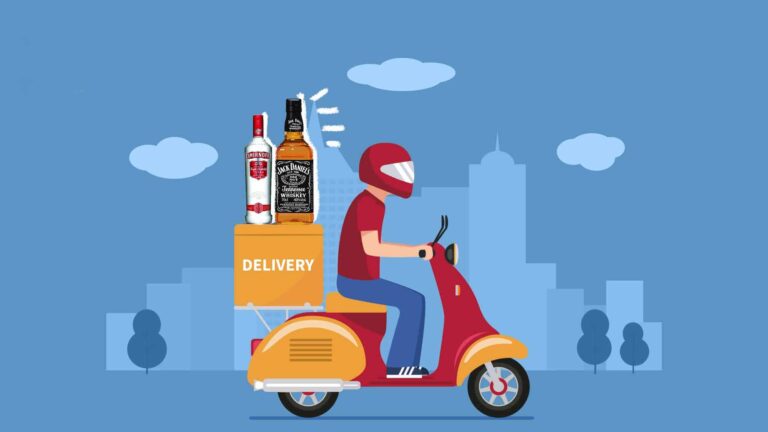
Delhi, the capital of India, has experienced a changing romance with alcohol laws. It has experienced stringent controls at one time and, conversely, decriminalized alcohol sale and delivery acts in a revolutionary context. Presently, whether alcohol can or cannot be delivered in Delhi is something on which the majority of consumers would still prefer to have alcohol home-delivered. The response, however, is not as straightforward as one would hope.

The Legal Standing of the Sale of Liquor in Delhi

Indian alcohol policy is state-regulated, and sale, distribution, and consumption of alcoholic liquor are regulated differently from state to state. There are some regulations on selling and drinking of alcohol to a certain degree, and Delhi enforces them with the assistance of the Excise Department. Home delivery was controversial, but restaurants, bars, and off-shelf liquor shops were permitted to sell liquor since they used to do so previously.

Is alcohol delivery available in Delhi

In 2020, the COVID-19-induced lockdown saw some of the states including Maharashtra and West Bengal introducing liquor delivery services with the aim of minimising physical contact and facilitating social distancing. The move was contentious in Delhi while enforcing the same standards. However, despite the increasing demand, liquor delivery was prohibited in the national capital at that time.

The 2021 Delhi Excise Policy and Its Impact

In 2021, the Delhi government introduced a new excise policy to revolutionize the liquor trade in the capital. Among a slew of changes, the policy allowed private retailers to set up liquor shops in lieu of government shops, bringing competition and improving the retail experience. Most concrete of the suggestions in the policy was alcohol home delivery legalisation, which created gargantuan buzz among citizens and corporates.

According to the new policy, the government allowed liquor to be ordered online via websites and mobile applications, with an option for retailers to provide home delivery services. This was perceived as a drastic change in the alcohol distribution pattern in Delhi to bring it on par with global trends where online platforms are leading alcohol sales. But the policy was also faced with the whole range of legal and administrative issues and therefore its revocation in 2022. Alcohol delivery in Delhi is therefore still a realm of uncertainty where there is no law that would make it legal. Current Status of Alcohol Delivery in Delhi.

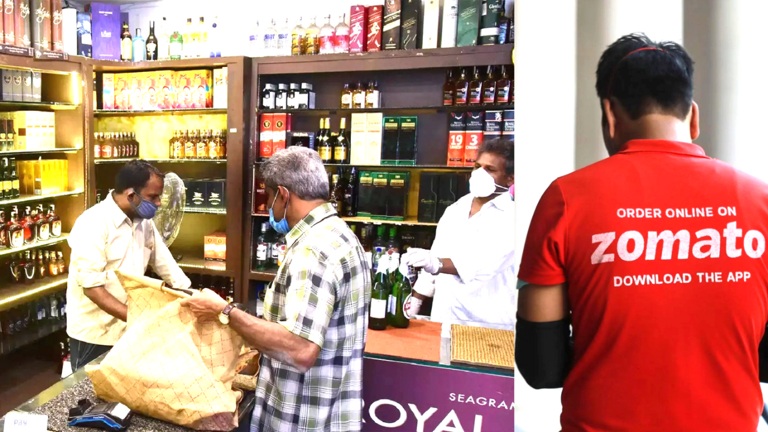
Home delivery of alcohol is illegal in Delhi currently. While there are some websites and apps that appear to be offering home delivery of alcohol, technically they are operating in a grey area or merely bringing the shop and customer together. In law, the consumers have to purchase liquor from real shops or consume liquor in licensed restaurants and bars.

While after roll-back of the 2021 excise policy there were still calls for re-introduction of home delivery in a regulated form.

With the growth of online shopping and people wanting more in-home delivery, everyone else believed that alcohol delivery ought to be legal because this would benefit consumers and the government as well as from an increased revenue base as well as a higher convenience factor. Issues of children’s access, regulatory issues, and abuse, however, are currently preventing legalization of the service to date. Alternatives to Alcohol Delivery in Delhi

For convenience-oriented residents, there remain a few legitimate means of acquiring liquor in Delhi. First, it has a well-established chain of licensed liquor shops, the majority of which have an amazing selection of Indian and international brands. Second, there are a few of the high-end liquor shops offering an improved-serviced shopping experience, with well-trained personnel that will walk customers through options and offer recommendations.

But once again the choice is to take liquor from restaurants, bars, and liquor bars. All these offer takeaway liquor services for the type of liquor that the client wishes to consume at home. But all these are governed by rules formulated by the administration, and the service is not offered in all locations.

The Future of Alcohol Delivery in Delhi

The fate of Delhi in the context of online liquor delivery is uncertain but no longer distant. With the consumers’ demand so fundamentally changed through the application of technology, there would be other pressures involved in allowing liquor sales through online delivery. Indian states like West Bengal and Odisha already have the same models functioning, and these can compel Delhi to make the same policy changes.

If the government is forced to reinstate liquor home delivery once again, it would be followed by regulation so that alcohol consumption is made responsible. There would need to be measures of age-checking, curbs on delivery, and compliance with excise laws under any future alcohol delivery mechanism.

Overall, while alcohol home delivery has not yet taken place in Delhi, things always tend to change. The convenience-seeking consumers will have to wait until more policy changes take place, but thanks to growing demand and technological advancements, the success of legal alcohol home delivery in Delhi is imminent in the near future. In the interim, citizens will have to settle for outdated methods of purchasing alcohol from physical outlets or consuming alcohol at licensed establishments.
How Can I Complain on Zomato?

0

Zomato is one of the biggest food delivery applicattions in India and many other countries offering an convenient choice to its customer base of ordering food from any specific restaurant. However, like with any services, customers can also face such issues as tardiness, inaccuracy of orders, inedible/poor foods, or billing errors. Just say you are in a such a scenario, you may wonder how to make a complaint on Zomato and get a quick resolution.

How Can I Complain on Zomato

Understanding Zomato’s Customer Support System

There is in Zomato a structured customer support infrastructure with a capacity to handle user queries in a seamless manner. Since the platform is executed mainly as smartphone application and on the internet, complaints are mainly attributable to be solved online. In contrast to conventional customer service, Zomato does not provide a direct phone number for customers. Instead they have been added as a chat support feature within the app and it is the fastest and most effective way to reach their support team.

Complaints are classified in Zomato into various categories, including complaints of order problem, complaints of payment problem, complaints of refund, and complaints of restaurant. The knowledge on these classes can help you file a petition more precisely and get a faster response. The company offers options for reporting delivery partners, review disputed charges, and escalation if you are unhappy with the first response.

How to Raise a Complaint on the Zomato App

If you have faced a problem related to your order, the most effective way to complain is through the Zomato app. Follow these steps to file a complaint:

  • Open the Zomato App, and confirm login to your registered profile.
  • Turn to Your Orders Tap on the profile icon or go to the “Orders” part of the menu. Here, you will find a list of all your past and ongoing orders.
  • Select the Order with an Issue Click on the specific order that has a problem.
  • Click “Support” or “Help” (this will directly open a customer support chat access where you can post your question).
  • Select the Related Topic- Zomato provides inherent options such as “Food not delivered,” “Wrong item received,” “Payment problem” and others. Choose the one that best matches your complaint.
  • State the problem clearly if your problem is not fully represented by the provided options, please describe your problem and add any details, including but not limited to, order number, nature of the issue, and any accompanying picture, if true.
  • Waiting for a response The chat application will link you to a customer service operative, who will take note of your complaint and attempt to offer a resolution. In general, most cases Zomato is able to offer compensation, redelivery, or a refund depending on the extent of the issue.

How to File a Complaint on the Zomato Website

For those who prefer a computer rather than a mobile device, or who do not have access to the mobile application, it is also possible to lodge a complaint on the Zomato website. The process is similar:

  • Visit the Zomato Website Go to www.zomato.com and log in.
  • Go to “Orders” and then click on your profile and click the “Orders” section.
  • Select the Order With Problem (Click on the order that needs to complain about).
  • )A dialogue box or help fragment will open up in order to take you to the support/help pages.
  • Describe the Issue Provide all necessary details, including images or screenshots if applicable.
  • After wait for a response, customer support will check your complaint and give a solution.

What to do if you do not receive a satisfactory answer).

Although in general customer support at Zomato is prompt, for instance, you may be unhappy with the solution. However, at that point, the following steps may be taken:1).

Contact Zomato on Social Media

Among easiest modes of escalation of your complaint is making contact with Zomato social media. Companies are known to react to complaining on social media platforms like Twitter and Instagram in order to appear as public.

  • Twitter: Tag @zomatocare and explain your problem and order ID.
  • Instagram: Sent Direct Message to Zomato’s page describing the problem.
  • Facebook: Just post on their page or message them back.

Email Zomato’s Customer Support

If the customer service through chat does not help you get a solution, then you can send an email at Zomato. Although Zomato does not definitively reveal address for email direct servic es, help@zomato.com is reported to be useful to contact help@zomato.com. When sending an email, make sure to include:

  • Your registered mobile number and email ID
  • Order ID
  • A detailed explanation of the complaint
  • Any supporting documents such as screenshots or images

File a Complaint on Consumer Forums

But, if the result is not satisfactory following multiple attempts, you may then follow subsequent steps by filing a complaint either online on consumer grievance websites, for example:.

  • Consumer Helpline (NCH): You can lodge a complaint at consumerhelpline.gov.in
  • Consumer Court: When the issue is a significant financial loss or gross negligence, you might file a civil suit in a consumer tribunal.
  • Online Review Platforms: Platforms such as Trustpilot, MouthShut and Google Reviews let you express your experience, which, hopefully, will trigger an action from Zomato.

Common Complaints and Their Resolutions

Below are some of the most frequently reported problems by Zomato users and how they are typically addressed:

  • Order Not Delivered: If your food never arrives, Zomato will usually issue a refund or provide a replacement order.
  • Wrong or Missing Items: If the restaurant mistakenly sent you an incorrect meal or forgot a meal, you can say you’d like a refund or a redelivery.
  • Food Quality Issues: If the food is stale, underdone, or putrefied, Zomato may refund you or penalize the restaurant.
  • Payment Failures: When money is debited from your account and no order was placed, traditionally, Zomato refunds the amount in the time frame of 3-5 business days.

Final Thoughts

Complaining on Zomato is relatively straightforward if you follow the right steps. The best way to resolve an issue is through the in-app chat support, as it provides the quickest response. However, if you are not satisfied with the resolution, reaching out through email or social media can escalate the matter. In rare cases where you do not get any response, filing a complaint through consumer forums can be an effective last resort.

While Zomato aims to provide a smooth food delivery experience, issues can arise occasionally. Knowing how to address them effectively ensures that you receive fair treatment and compensation for any problems you encounter.

How to Order Wine from Zomato?

0

And when I got to know that Zomato delivers wine, curiosity cropped in. But skepticism just crept in as a part and parcel of it all. I order food online; I’m quite a pro at it, but wine still remains something else. A million questions creeped into my mind: is it legal? How does this process work? Will my wine reach me in proper condition? Let me walk you through the process, share my experience, and answer all these questions so that you can enjoy hassle-free wine delivery from Zomato.

How to Order Wine from Zomato

Is Ordering Wine from Zomato Legal?

Yes, it is. But here’s the catch—not all states in India allow online alcohol delivery. The laws vary depending on where you live, so the first thing to do is check if Zomato offers this service in your area. For instance, Kolkata and Odisha have already set the ball rolling, but others are still playing catch up. If you’re not sure, open Zomato and search for wine or alcohol delivery. If they offer it in your city, you’re good to go!

Getting Started

Here’s how I ordered my first bottle of wine through Zomato:

Download the App and Log In

If you already have a Zomato account, you are halfway there. All you need to do is make sure your app is updated to the latest version. If you are a new user to Zomato, sign up. It is as simple as inputting your phone number or email address.

Enable Location Services

Wine delivery is location-based. Make sure that your GPS is on so that Zomato can show you the nearest licensed stores.

Search for Alcohol Delivery

Use the search bar to look for “wine,” “alcohol,” or “spirits.” If your city supports alcohol delivery, you’ll see a list of options pop up.

Verify Your Age

Before you can proceed, Zomato will ask you to upload a valid ID to confirm that you are over 21 years old (or the legal drinking age in your state). I used my Aadhaar card, but you can also use a driver’s license or passport. The verification process was quick—it took less than five minutes for me.

Selecting the Correct Wine

Now that’s in, the fun begins: browsing the selection! I was shocked by how varied it was. From budget-friendly to premium labels, Zomato had everything. Here’s how I picked mine:

Set a Budget: I was not looking to splurge so filtered options to show wines under ₹1,500.

Read Descriptions: I read the descriptions of each wine, which helped me decide. If I like fruity reds, I chose a Merlot promising notes of cherry and plum.

Check Ratings: Just like with food, user ratings are your best friend. I picked a bottle with a 4.5-star rating and more than 200 reviews

Placing the Order

Adding the wine to cart was smooth. I recheck the details-quantity, price, and address for delivery before coming on the checkout page of the website. Zomato provides various payment options on it such as:

  • Credit/Debit cards
  • UPI
  • Paytm Wallets

And UPI was my way here because it is efficient and quick. The minimum chargeable amount included is little delivery charge and applicable VAT/ GST, nothing heavy

The Waiting Game

The first thing I’d like to say is that wine delivery isn’t as quick as food delivery. It took my order approximately 90 minutes to get here, which is actually normal for alcohol. When the delivery arrived, the delivery person rang me to come out and asked me for some form of ID for verification. This was very appreciated because it shows Zomato cares about compliance.

The wine arrived in a sturdy paper bag, sealed and intact. The delivery person handled it with care, which was reassuring. If you’re worried about tampering, rest easy—Zomato partners only with licensed vendors, and every order is sealed for your safety.

My First Sip

It uncorked that bottle like it was a mini celebration. This one is exactly as described: smooth, fruity, and the perfect way to wind down after a long day. I paired it with a simple cheese platter and some crackers, and honestly, it felt like I was in a fancy wine bar-all from the comfort of my couch.

Pro Tips for First-Timers

Here are a few things I learned from my experience:

Order Early: If you’re planning to serve wine at a dinner party, place your order at least two hours in advance to avoid last-minute stress.

Start Small: If you’re new to wine, don’t go for the most expensive bottle. Start with something mid-range and explore your preferences.

Pair It Right: A really good wine can enhance your food. Red wines go well with meat and cheeses, while whites pair well with seafood and pasta.

Stay Responsible: Enjoy your wine, but never overdo it. If hosting, make sure the guests go home safely.

What if Something Goes Wrong?

While my experience was smooth, I’ve heard stories of delayed deliveries or incorrect orders. If that happens to you, here’s what to do:

Contact Support: Zomato’s customer support is available 24/7. Use the chat feature in the app for quick resolutions.

Request a Refund: If the issue is unresolved, Zomato has a straightforward refund policy for damaged or incorrect orders.

Final Thoughts

It has been a game-changer for me to order wine through Zomato. It is convenient and reliable, perfect for that day when you just want to sit back and relax without stepping out. Whether you are a serious wine connoisseur or a curious newbie, you can easily explore and indulge with Zomato.

So the next time you’re in the mood to drink some wine, you should definitely try it out. It’s as easy to order as your favorite pizza. You might even end up with a new bottle that you love. Here’s to that!

How to Change Your Swiggy Password: A Step-by-Step Guide

0

Hey there, let me guess—you’re here because you forgot your Swiggy password or maybe you’re just trying to tighten up your online security. Either way, I’ve got you covered. I’ve had my fair share of tech hiccups, so trust me when I say I know how frustrating it can be to deal with a forgotten password or a compromised account.

Let’s dive in, and I’ll walk you through the process step by step, with some tips and personal stories sprinkled along the way.

How to Change Your Swiggy Password


Why Changing Your Swiggy Password Matters

Before we get to the “how,” let’s talk about the “why.” Changing your Swiggy password isn’t just something you do when you forget it. It’s also about keeping your account safe. I remember a time when I didn’t take online security seriously. Someone got into my streaming account (not Swiggy, thankfully), and while they didn’t do much damage, it was a wake-up call.

Food delivery apps like Swiggy store sensitive details—your address, payment methods, even your order history. Imagine someone using your account to order a feast on your dime! Not fun.

So, whether you’re updating your password because you can’t remember it or just being proactive, you’re making a smart move.


How to Change Your Swiggy Password

Let’s get to the meat and potatoes (pun intended). Here’s how you can change your Swiggy password in just a few minutes:

Scenario 1: If You Remember Your Current Password

  1. Log into the Swiggy App or Website
    • Open the app on your phone or head to the Swiggy website.
    • Use your current email ID or mobile number and password to log in.
  2. Go to Account Settings
    • In the app, tap on your profile icon (usually in the top-right corner).
    • Select “Account Settings” or something similar.
  3. Select the Password Option
    • Scroll down and tap on “Change Password.”
    • You’ll be prompted to enter your current password and the new one.
  4. Choose a Strong New Password
    • Make sure it’s a mix of uppercase letters, lowercase letters, numbers, and symbols.
    • Avoid using predictable stuff like “12345” or “password.”
  5. Save Changes
    • Once you’ve entered and confirmed your new password, hit “Save.”
    • Swiggy will log you out of all other devices for security purposes.

Scenario 2: If You Forgot Your Password

This is a bit more common, isn’t it? I can’t tell you how many times I’ve had a brain freeze and forgotten a password. Thankfully, Swiggy makes it easy to reset.

  1. Click on “Forgot Password”
    • On the login screen, tap or click “Forgot Password.”
  2. Enter Your Registered Email or Mobile Number
    • Swiggy will ask for the email ID or mobile number linked to your account.
  3. Check Your Inbox or Messages
    • You’ll get a password reset link (via email) or an OTP (via SMS).
    • Check your spam folder if the email doesn’t show up in your inbox.
  4. Reset Your Password
    • Follow the link or enter the OTP to reset your password.
    • Choose a new password (remember the strong password tips!).
  5. Log In Again
    • Use your new password to log in. You’re all set!

Quick Tips for a Hassle-Free Experience

Here are a few things I’ve learned from personal experience:

  • Save Your Password Securely
    I use a password manager app. It saves me from the “Oops, I forgot my password again” moments.
  • Update Passwords Regularly
    I make it a habit to update my passwords every six months. It’s like spring cleaning for your online life.
  • Avoid Public Wi-Fi
    Never change passwords when connected to public Wi-Fi. Hackers love public networks.
  • Enable Two-Factor Authentication (2FA)
    If Swiggy offers 2FA, enable it. It adds an extra layer of security.

Real-Life Example: Why Strong Passwords Matter

A friend of mine once had her Swiggy account hacked. She used “foodie123” as her password, and someone guessed it. Within minutes, the hacker ordered three large pizzas and a bunch of sides. She caught it quickly, but it was a headache getting a refund and updating her details.

After that, she started using stronger passwords and a password manager. Lesson learned!


What to Do If You Run into Issues

Let’s say something goes wrong—you don’t get the reset link, or you can’t log in even after resetting your password. Here’s what you can do:

  1. Check Your Internet Connection
    • It sounds basic, but you’d be surprised how often this is the culprit.
  2. Contact Swiggy Support
    • Open the app and go to the help section.
    • You can chat with a support agent or call their helpline.
  3. Double-Check Your Details
    • Ensure you’re entering the correct email or mobile number.
  4. Clear Cache and Cookies
    • If you’re using the website, clear your browser’s cache and cookies. It can fix login glitches.

Wrapping It Up

Changing your Swiggy password isn’t just about fixing a forgotten password—it’s about protecting your account. Think of it like locking the front door of your house. Would you leave it wide open? Of course not.

Take a few minutes to update your password today, and you’ll thank yourself later. And if you ever feel stuck, come back to this guide. I’ve been there, done that, and I’m here to help.

Got questions or tips of your own? Drop them in the comments. Let’s keep the conversation going—because online security is something we all need to get better at.

Happy ordering, and stay safe!

How To Remove Order History From Zomato?

0

Have you ever felt that little twinge of discomfort seeing your Zomato order history staring back at you? I sure have! Maybe you don’t want to be reminded of all those late-night fried chicken cravings or the time you went overboard on desserts. Or perhaps you share your account with someone, and you’d rather keep some orders private. Be the reason whatever; however, thank God enough that clearing one’s order history at Zomato isn’t as straightforward as hitting the delete button. But do not worry; I’m here to help you.

In this tutorial, I am going to take you through what you can and cannot do about your Zomato order history. Tips, insights, and maybe even some personal stories might be shared along the way. And by the end of it, you’d know just how to be that pro in managing your order history.

Remove Order History From Zomato

Yes, you can delete your order history on Zomato.

Truth: Zomato doesn’t provide an option to remove your order history directly. I know, sounds frustrating, right? So when I first came to realize this, I spent hours browsing through the app thinking I was missing something. Guess what? Zomato keeps your order history linked to your account for “personalized recommendations” and customer support purposes. Sounds reasonable enough, but not really if you want to clean up your digital footprint.

So, what can you do? You can’t delete your history, but you have ways to control it. So, let’s dive into that.

Option 1: Archive Your Account

If you want to really clear out the Zomato order history, you can archive or deactivate your account. To do this, follow these steps:

  • Open the app: Log in to Zomato and head to your profile.
  • Settings: Tap on the three dots or hamburger menu.
  • Account Settings: Click on “Account” or “Privacy Settings.”
  • Request Deactivate Account: There should be a button to deactivate your account. Complete the process, and your account will be archived.

The method above will completely take away access to your account. If you want to use Zomato again, you will have to sign up for a new account.

Personal Tip: I did it once because of being overwhelmed with how much digital mess was weighing upon my life. Freedom, I would say; but recreating a new account was very tedious since I no longer had saved addresses and favourite restaurants in my new account. So think twice before taking this route.

Option 2: Zomato Support

Okay, let’s try this. Get in touch with Zomato’s customer support. Even though they won’t possibly remove your order history altogether, they can be pretty helpful with individual requests.

  • How to Reach Support
  • Open the “Help” tab in the app.
  • Tap on the field to input your request. For example: “I would like to delete some orders from my history.”

Be nice, but firm. State your reasons if necessary, for example, “privacy-related issues.”.
Now, let me level out your expectations: Usually, the support team at Zomato is quite helpful, though they are unlikely to agree on this. Once, I requested they remove an accidental double order. Though they could erase it, they assured that it would not affect the recommendations.

Option 3: Workaround – Hide or Ignore History

Sometimes, when you cannot delete something, just ignore it. Here’s how you can manage your order history without deleting it:

  • Start Anew: Use another e-mail or phone number for creating a new account. This will be your “clean slate” for further orders.
  • Do not link up with the same address if privacy is your biggest issue.
  • Disable Recommendations: Go to your Zomato settings and disable personal recommendations based on your order history.
  • Why This Works: Out of sight, out of mind. I did this when I wanted to have a separate account for my work-related orders, and it worked like magic. It’s a little extra effort, but it solves the problem.

Why Does Zomato Keep Order History?

Knowing why Zomato retains your order history helps you navigate the problem much better. They do it for a few reasons:

  • Customer Support: If ever an issue arises with an order, your history becomes a record.
  • Recommendations: Zomato uses your history to suggest restaurants and dishes you might like. (Though, sometimes, this backfires—who wants to see ads for pizza when you’re trying to eat healthy?)
  • Analytics: Your data helps Zomato improve its service and marketing strategies.

Personal Experience

Let me share a story. A few years back, I went through a period where, every weekend, I ordered from the same burger shop. My partner just had to see the order history; they were like laughing at me, ‘You order from the same place every weekend.’ I would feel so embarrassed. That is when I realized I wanted more control over my data.

After trying a few methods, I decided to create a secondary account solely for indulgent orders. A bit of extra work on my part, but I saved myself from some very awkward moments. It was also like a fresh start. Sometimes, the littlest steps can make big differences.

Tips to Keep Your Order History Private on Zomato

If keeping your order history private is your goal, here are a few proactive tips:

  • Use Guest Checkout: Whenever possible, avoid logging into your account. Guest checkout limits the data Zomato can store.
  • Pay with Cash: Using cash instead of online payment methods makes your orders less traceable.
  • Limit Permissions: Don’t give Zomato unnecessary permissions, like access to your contacts or location history (unless needed for delivery).
  • Regularly Review Settings: Review privacy settings and ensure they align with your preferences.

Why You Can Live with Leaving Your Order History

Now that I have you right where I want you, turn the tables on me for a second. Do you really need to delete your order history? Here’s why it might not be such a big deal:

  • It’s just data: At the end of the day, your order history is just a list of meals. Unless it’s causing you stress or privacy concerns, it’s okay to let it be.
  • Memories are fun: Sometimes reviewing old orders can be nostalgic. Remember that special anniversary dinner or the night you partied with friends? Those were moments in your story.

Final words

It may seem like a lot to manage your Zomato order history, but with a little creativity, it is perfectly manageable. You can either deactivate your account, contact support, or just live with your order history-whatever floats your boat.

And hey, don’t be too hard on yourself. We all have our guilty pleasures—mine just happens to be cheesy garlic bread at midnight. If you ever need more tips or just want to chat about food and privacy, you know where to find me!

So, what do you think? Are you ready to tackle your Zomato order history, or do you have a favorite workaround I didn’t mention? Let me know—I’d love to hear your thoughts!

How to Rate Delivery Boy on Zomato?

0

I now always order food online from Zomato. Whether it is spicy biryani or a dessert, Zomato makes everything easy for me, but one part of this process often gets overlooked: rating the delivery person. It is always great to share good or bad experiences with the delivery boys, who work hard to bring your meals right to your doorstep. So, let’s dive into how to rate a delivery boy on Zomato, why it matters, and how we can make our feedback constructive and meaningful.

Rate Delivery Boy on Zomato

Why Rate Delivery Boys?

Before we dive into the how-to, let’s talk about the why. When I rate a delivery person, I’m not just clicking stars for the fun of it. This feedback serves several purposes:

  • Encouragement: If a delivery person does exceptionally well, I would let them know. Just to give them a thumbs up would make them feel more productive and appreciated.
  • Constructive criticism: Sometimes things did not go as planned. Maybe my order was late or even just missing an item. Having honest feedback can improve service sometimes.
  • Transparency: Just as I would like to know the rating of a restaurant, delivery boys deserve to be rated and evaluated for their efforts.

Every time I rate a delivery person, I remember the number of others he serves every day. It is his way of giving back a little.

How to Rate Your Delivery Boy on Zomato

1: Finish Your Order

When your order arrives, take some time to rate your experience. I always think it helps me write a few lines of what was the delivery experience like. Was the person delivering pleasant? Did the person delivering arrive at a good time? This really helps you when you actually have to rate them later.

2. Open the Zomato App

Once I am ready to rate, I open the Zomato app on my cell phone. It is user-friendly enough so that I can find the orders I have placed lately without much hassle.

3. Find Your Recent Orders

I go to the “Orders” section from the application. There I find my latest deliveries. On clicking the order to which I want to relate, it takes me to the details page where I find the name of the delivery guy along with an option of “Rate.”

4. Choose a Star Rating

Zomato uses a star rating, which goes as high as five stars. That is how I usually determine:

  • 5 Stars: Excellent service. This delivery guy was punctual, nice, and lovely.
  • 4 Stars: Overall good service but with some setbacks. They might have gotten there a bit late, or they forgot to address me.
  • 3 Stars: Average service. There is a lot that went wrong, though it was not a total shambles.
  • 2 Stars: Below average. The delivery was late, and my order wasn’t correct.
  • 1 Star: Terrible service. This is for when the delivery person did not meet the most basic expectations.

For example, just last week, I got a delivery that came in so late because of heavy traffic. The delivery guy apologized to me and gave me a complimentary dessert for the hassle they caused me. So I gave them four stars since they managed things quite well.

5. Add Comments

Once I click the star rating, I make sure to always include a comment. This is my place to be specific. Some tips are:

  • Be Specific: Instead of just writing “Good job,” I might write, “Delivery on time and food was hot!” It gives the delivery guy as well as Zomato proper feedback.
  • Be Honest: If there was a problem, like missing an item, I say that directly. For example, “I didn’t get my soda, but the delivery man was nice.”
  • Keep It Respectful: This is so important because everybody has their bad days and my goal in giving a review is not to belittle efforts but rather to give constructive criticism.

6. Publish Your Rating

Once I have given the star rating and comment, then I hit the “Submit” button. That way, it makes me feel that I am helping the Zomato community positively.

Personal Life Experience

I want to share one personal experience with you. A couple of months back, I had ordered for dinner at a local restaurant. Rahul is my delivery boy. Rahul was punctual as well and came with a smile and handed me the food.

The dish ordered by me however missed its side item, upon reporting the issue to Rahul he phoned the restaurant promptly, and it came home to my house in under half an hour, proactive from his end won him that stars surely and rated accordingly commenting quick on the review to end.

This experience teaches me that delivery boys like Rahul often face unexpected situations. Taking time to rate him was an appreciation of his hard work and dedication.

Feedback with Empathy

I remind myself that they are human beings, too. They can have bad days, just like everyone else. The next time you are about to give a low rating, think about the person behind the delivery. Were they struggling with a heavy load? Did they navigate traffic just to ensure your food arrived hot?

For instance, I once had a delivery person who seemed exhausted after a long day. I decided to leave a positive review, acknowledging their effort despite the long wait. My comment read, “I appreciate your hard work. Thank you for delivering my meal with a smile!

Rating the delivery boys on Zomato isn’t just about a button click; it is about sharing my experience and endorsing hard work, creating further opportunity for improvement. I am actually thinking of the delivery guy every time I press the button how it will make him a better guy for another delivery guy, and even perhaps it will be a different person someday who will be at least expecting me and more.

So next time you order through Zomato, remember: your feedback matters. Take the time to rate your delivery person. After all, they play a very important role in making our dining experience enjoyable. Let’s appreciate their efforts and encourage them to keep doing what they do best!

How to Change Your Zomato Password: A Step-by-Step Guide

0

We’ve all been there. You’re ready to order your favorite butter chicken and naan, but when you log into Zomato, something feels off. Maybe you forgot your password (it happens to the best of us), or you suspect someone else has been snooping around in your account. Either way, it’s time to change your Zomato password. Don’t worry—I’ll walk you through the process step by step, and I’ll share some personal tips along the way to make it easier.

Changing a password might sound mundane, but when you think about how much personal information we trust these apps with—our addresses, payment details, and food preferences—it’s not a small deal. So, let’s do it right.

Change Your Zomato Password


Why Would You Need to Change Your Zomato Password?

Before we jump in, let’s quickly talk about why you might need to change your password:

  • You forgot your password: This happens to me a lot. With so many apps, it’s easy to lose track.
  • Security concerns: Did you notice strange orders or login alerts? Better to be safe than sorry.
  • Routine updates: Experts recommend changing passwords every few months. It keeps your account secure.

A quick story: Last year, my friend Raj called me in a panic because someone hacked his Zomato account and ordered a massive feast he didn’t authorize. He learned the hard way that a strong password and regular updates matter.


Let’s Change Your Zomato Password

I’ll break this into two parts: changing your password if you’re logged in and resetting it if you’re logged out.


1. If You’re Logged In

This is the easiest scenario. Here’s what you do:

  1. Open the Zomato App:
    Launch the app on your phone. Make sure you’re logged into your account.
  2. Go to Your Profile:
    Tap the profile icon (usually in the bottom right corner).
  3. Access Account Settings:
    Scroll down and select Settings or Account Settings.
  4. Choose the Change Password Option:
    Look for something like Change Password and tap it.
  5. Enter Your Current and New Password:
    You’ll need to enter your old password first (this step confirms it’s really you). Then, create a new password.
  6. Save Your Changes:
    Hit save, and you’re done!

2. If You’re Logged Out

Can’t log in? No problem. You’ll need to reset your password instead.

  1. Open the Zomato App or Website:
    I usually prefer the app—it’s quicker.
  2. Tap “Forgot Password?”
    You’ll find this option on the login screen.
  3. Enter Your Registered Email or Phone Number:
    Type in the email or phone number you use for Zomato.
  4. Check Your Email or SMS:
    Zomato will send a password reset link (if you entered your email) or an OTP (if you used your phone number).
  5. Follow the Link or Enter the OTP:
    • If you got a reset link, click it and set a new password.
    • If you received an OTP, enter it in the app, and you’ll be prompted to create a new password.
  6. Set Your New Password:
    Make it strong but easy for you to remember. More on this below.

Tips for Creating a Strong Password

Here’s where I get a bit nerdy. Passwords are your first line of defense, and weak ones can lead to trouble. Here’s what I’ve learned:

  • Mix it up: Use uppercase, lowercase, numbers, and special characters. For example, instead of “zomato123,” go for something like “Zom@t0_Rule5!”
  • Avoid obvious choices: Skip birthdays, names, or “12345.” These are hacker favorites.
  • Use a passphrase: A sentence is easier to remember and harder to crack. Something like “ILoveEatingPizza@9PM.”

One trick I use is a password manager. It generates and stores complex passwords so I don’t have to remember them all.


What If Something Goes Wrong?

Changing your password should be straightforward, but glitches happen. Here’s what to do if you hit a snag:

  • Didn’t get the reset link or OTP?
    Check your spam folder or make sure you entered the right email/number. If it still doesn’t work, try again after a few minutes.
  • Forgot the email or phone number linked to your account?
    This one’s tricky. Reach out to Zomato’s support team. They might ask for proof of identity, like your past order receipts.
  • Reset link expired?
    Don’t wait too long to click it. If it expires, just request a new one.

My Personal Experience with Password Resets

A few months ago, I decided to declutter my digital life and update all my passwords, including Zomato’s. I’d been using a lazy password for years (yes, even I’m guilty sometimes).

I changed it to a super strong one, but then I made a rookie mistake: I didn’t write it down. Guess what? The next time I tried to log in, I couldn’t remember it. I had to go through the reset process again. Moral of the story? Write your password down somewhere safe or use a password manager.


Keeping Your Account Secure

Changing your password is a good start, but there are other steps you can take to keep your Zomato account safe:

  • Enable Two-Factor Authentication (2FA):
    If Zomato offers 2FA, use it! It adds an extra layer of security.
  • Monitor your orders:
    Check your order history regularly. If something looks off, act fast.
  • Log out of shared devices:
    If you’ve logged into Zomato on a friend’s phone or a public computer, log out when you’re done.

Final Thoughts

Changing your Zomato password isn’t just about fixing a small annoyance—it’s about protecting your data and peace of mind. Whether you’re resetting it because you forgot or updating it for security, the process is simple if you follow the steps I’ve outlined.

And hey, next time you’re enjoying that pizza or biryani, you’ll know your account is safe and sound. If you have any other tech troubles, feel free to ask me—I’ve been through most of them!

So, what are you waiting for? Go change that password and treat yourself to something delicious. After all, you deserve it. 😊

How to Order Food in Train from Zomato?

0

Traveling by train has always been my most favorite form of India exploration. There is indeed something comforting about the rhythmic clatter of the wheels on the tracks, the constantly changing scenery outside the window panes, and the small moments shared with passengers. However, let’s be honest: train food hasn’t exactly been a highlight of most of my journeys. If you have ever been stuck with a boring meal or, worse still, gotten left behind at the pantry car, I can well understand your plight. Luckily, things have changed, and ordering food on train has become ridiculously easy, thanks to apps like Zomato.

I’ve done it a few times, and trust me, it’s a game-changer. Here’s my simple, step-by-step guide to ordering food on a train from Zomato. I’ll sprinkle in some tips and stories from my experiences, so grab a cup of chai, and let’s dive in!

Order Food in Train from Zomato

Why Order Food in Train?

Before I dive into the “how,” let me discuss the “why.” Why bother ordering food on a train instead of sticking to the pantry car? Here’s what I have learned from my trips: variety.

Zomato brings to you restaurants near you. It’s not just one kind of food. Want a cheesy pizza or some piping hot biryani? They have it.

Quality: Honestly, the food from restaurants is much fresher and tastier than the standard fare in trains.

Convenience: You can choose the exact station at which you want the food to be delivered. No need to hurry up and grab some snacks at the last minute!

And let’s not forget—you can customize your order. Ever tried asking the pantry for less spicy curry? It’s like shouting into the void.

Step 1: Check Your Train Details

This is where your journey to deliciousness begins. Pull out your train ticket and take note of your PNR (Passenger Name Record). That 10-digit number that’s printed on your ticket will be used by Zomato to figure out your train route and the stations to drop off your food.

Pro Tip: Double-check your train’s schedule to know when it’s reaching the station where you want the food. Timing is key here.

Step 2: Open the Zomato App

If you’re already a Zomato user, great! If not, download the app and set up your account. It’s free and takes just a couple of minutes.

Once you’re logged in, look for something called ‘Food Delivery in Train’ or its variant. Zomato does experiment with its UI sometimes, but most often, it is either available right on the home screen or under services. If you cannot locate it, just use the search bar.

Step 3: Input Your PNR

This part feels a little magical to me. Once you enter your PNR, Zomato pulls out train details automatically: the name of your train, its route, and the stations where food delivery is available. It’s as if they know exactly where you are-slightly eerie but very helpful!

For instance, during one of my travels from Mumbai to Delhi, Zomato showed me restaurants available at Surat, Ratlam, and Kota stations once I input my PNR. It was similar to a carefully curated food map for myself.

Step 4: Select Your Station and Restaurant

Now comes the entertaining part: picking your meal. This is the time you can let loose and give in to your cravings. Zomato lists restaurants and varieties offered at each station.

Here’s a live example. During one trip, I was traversing Hyderabad and could not resist stopping for a plate of spicy biryani at a highly-rated local restaurant. The app showed the menu in detail with pictures that tell you exactly what you are eating.

Step 5: Customize your order

Once you have selected the restaurant and dishes, customize your meal if necessary. Whether you want extra ketchup on your burger, no onions on your sandwich, or whatever, this is the time to tweak your meal to be just right for you.

On a recent trip, my cousin was traveling with me, and she’s vegetarian. Zomato made it so easy to filter out only veg options at the station we’d selected. No stress, no confusion—just pure convenience.

Step 6: Place Your Order

After you’ve finalized your order, proceed to the payment section. Zomato accepts a variety of payment methods—UPI, debit/credit cards, and even cash on delivery (COD).

Personally, I prefer online payments to avoid dealing in cash while in a train. But if you like it old-school, COD works just fine.

Step 7: Track your order

Zomato sends you a confirmation of your order and keeps updating you in real time. You can view details such as the contact number of the delivery person and the expected time of arrival.

Well, here is a hint: Save the number of the delivery person. Sometimes they call you when they reach the station to confirm that you are seated. It is a small but important thing that makes everything run smoothly.

Step 8: Enjoy Your Meal

Your delivery person will be waiting near your coach when your train reaches the station. I do remember this one instance when, on a journey from Chennai to Bangalore, I ordered a dosa. Five minutes before my train’s arrival, a delivery guy called me, and by the time I stepped out, he was standing right there with my steaming hot order.

It was a pleasure to walk back to my seat with a perfectly packed meal, knowing I did not have to compromise over taste or hygiene.

Common Hitches (and How to Overcome Them)

Of course, no system is perfect. Here are some hiccups I’ve encountered and how you can avoid them:

Delayed Trains: If your train is running late, the restaurant might still prepare your food at the scheduled time. This can lead to lukewarm food or even cancellations. Always keep an eye on your train’s real-time status.
Missed Deliveries: Once I forgot to collect my order when the train left the station before it arrived. Lesson learned: keep setting an alarm or ask your fellow co-passenger to remind you about reaching your station.
Few Options: There will be few restaurants at smaller stations. For such stations, I recommend to order from the next city

Why I love this service

For me, it means ordering food from a train via Zomato: order again, truly, convenience-based but raises the entire travel experience to a new level. I no longer need to wait for expensive and factory meal-halts, but my taste buds sample regional delicacies from locals themselves even on the move.

Is It Safe and Reliable?

One question that I get asked a lot is, “Do I need to trust the food?” My answer is “absolutely.” Zomato partners with verified restaurants, so the food is hygienically packed, and through reviews and ratings on the app, one can make an idea of what to expect.

Conclusion

Ordering food on a train from Zomato has transformed how I travel. It is small, but having the power to choose what I eat-even in the middle of nowhere-makes me feel more in control of my journey. If you haven’t tried it yet, I highly recommend giving it a go on your next train ride.

And hey, if you do, let me know what you ordered. Who knows? Maybe I’ll try it on my next trip!

Read Also : How to remove Zomato account from other devices?

How to remove Zomato account from other devices?

0

Have you ever logged into your Zomato account on a friend’s or a public device and then forgotten to log out? I have been there. It is not about your food preferences being out in the open; it’s your personal information and payment details at stake. Let alone the horror of someone else accidentally (or intentionally) ordering food from your account. If you are wondering how to remove your Zomato account from other devices, let me walk you through this step-by-step and tell you some personal insights along the way.

remove Zomato account from other devices

Why Removing Your Zomato Account From Other Devices Matters

Let’s talk about “why” before talking about “how.” Think of your Zomato account possibly having your:

  • Name and contact information
  • Your saved payment methods
  • Order history
  • Address details

If someone else gets access to your account, they are not just snooping into your eating habits; they may be accessing sensitive information. Once, I had left my account logged in on my cousin’s phone, and the next thing I knew, they were ordering pizza at midnight using my saved card. It was funny later, but at that moment, it was panic-inducing. Thankfully, I have learned a few tricks to safeguard my account since then.

Signs Someone Else May Be Using Your Zomato Account

Here are some warning signs:

  • Unexpected Orders: Have you noticed orders showing up in your history that you did not place? Time to sound the alarm!
  • Strange Address Changes: One minute your delivery address has you living in a totally different city.
  • Unusual Login Notifications: Sometimes, Zomato will send you alerts about logins from other devices.

If any of these things happen, panic over. Let’s get this resolved.

Step-by-Step Guide to Removing Your Zomato Account From Other Devices

Here’s the game plan. Follow these steps to make sure your account is logged out from everywhere else.

1. Change Your Password

This is the fastest way to get an unauthorized user out. Changing your password will automatically sign out all other devices other than the one you’re using on Zomato.

Steps:

  • Open the Zomato app or website.
  • Go to Settings or Account Settings.
  • Click on Change Password.
  • Enter your current password and change it to a new, robust password.
  • Make it unique. Instead of using “Password123,” use “Zom@toSecure2024!” (Just don’t tell anyone, though.)

2. Log out from all devices option

Zomato made it easy with the log-out feature from all devices. This is handy when you suspect your account is still logged in elsewhere.

How to do it:

  • Open Zomato app
  • Navigate to Settings.
  • Scroll down and find the option Manage Devices or Logout From All Devices.
  • Tap on that, and you are done.

The first time I saw this feature was a lifesaver. Once I used it after finding that I had logged into some random cafe’s shared iPad to order lunch. Just think of the embarrassment when some other person sees your obsession with biryani!

3. Two-Factor Authentication (2FA)

If Zomato offers two-factor authentication, enable it. This means even if someone gets your password, they’ll need a code sent to your phone to log in.

Steps:

  • Open Zomato and go to Settings.
  • Look for Account Security.
  • Enable Two-Factor Authentication.

4. Check Active Sessions

Some apps provide a list of active sessions, which is the list of devices that are logged into your account. In the case of Zomato, they do not show you the information directly, but you can contact their support team.

  • How to Reach Support:
  • Go to Help Center within the app.
  • Select the relevant topic, which could be “Account Security.”
  • Ask for details about the active sessions and ask them to log out any unauthorized devices.

I have done this before when I suspected something fishy, and their response was quick and professional.

How to Stay Safe in the Future

Now that you have secured your account, let’s talk about prevention. Here are my golden rules:

1. Avoid Logging In on Public or Shared Devices

It’s tempting to use a friend’s phone or a public computer when you’re in a pinch. But if you must, always log out immediately after.

2. Clear browser cache and saved passwords

If you have logged in using a browser, clear the cache and all saved passwords once you’re done.

3. Look for login alerts in your email

Keep an eye on your emails for login alerts from Zomato. If you notice one that you did not authorize, act quickly.

4. Use a Password Manager

A password manager can generate and store strong passwords for you. It is like having a digital vault where you can store all your logins.

5. Monitor Your Account Periodically

Get into the habit of checking your Zomato account settings every few months. Be on the lookout for something fishy.

Personal Story: A Lesson Learned

Okay, let me tell you another story. I visited my uncle’s place last year and used his phone to order dinner for everybody. In the haste, I did not log out. One week later, he called me up to ask why I ordered sushi at 3 am. Of course, I hadn’t—he had opened my account by mistake and had put the order in. An honest mistake but learned very well to log out every single time, so since then I’ve been double-checking always.

Wrapping It Up

Secure your Zomato account. It sounds easier than it is, because we don’t really think about it. Just a few steps to change your password, log out from all devices, and turn on extra security measures can keep your account and peace of mind safe.

Remember, it’s not just about convenience; it’s about safety. The next time you’re tempted to leave your account logged in somewhere, think about the potential risks. And if you ever find yourself in a bind, come back to this guide. You’ve got this!

If you have any other tips or stories about securing your online accounts, share them with me. I’d love to hear from you!

How to Delete & Deactivate Swiggy Money Wallet?

0

I used to think that when I signed up for the Swiggy Money wallet it was so easy. I could put in money and use it so simply to order my favorite biryani or midnight puffs. But also at times I wasn’t using the wallet as much as I should have. Then it hit me — how do I close the Swiggy Money wallet? Well if you’re in the same boat and need help navigating, don’t worry.

Before I get started I wanted to share my story. As most of you do I am a person that likes to have my finances in order. I had money in many wallets which was a pain. At times I would forget how much I have in the Swiggy wallet or put in too much which left me with balances that I could not use right away. Does that happen to you?

Deactivate Swiggy Money Wallet

Here is what I did step by step to deactivate my Swiggy Money wallet and get that back sense of control. Let’s go through it.

Below is the process for How to deactivate siwggy money wallet.

Deactivate Swiggy Money Wallet

Step 1: What is Swiggy Money?

Before you disable your wallet make sure you know what it is. Swiggy Money is a digital wallet which we have included in our Swiggy app. You can load in money and use it for payment of your orders. Also at time we see refunds from cancelled orders get credited here. It is for when you order food or groceries a lot but you may find it restrictive as you don’t’ be able to use it outside of Swiggy.

For me I remember it was during the time that I got my refund in the form of Swiggy Money as opposed direct to my bank account. The amount which came through was small but at the time I felt as if I had lost out on the liquidity of the money. That was when I began to research how I could remove this.

Step 2: Check your account balance.

This is important that which is not allowed is to withdraw from your Swiggy Money wallet before you deactivate. For example we do not allow you to withdraw to your bank account.

Below is what I did.

  • opened the Swiggy App
  • Tapped on the wallet icon to see my balance.
  • Used up the rest for a small order which included the chai and samosa set because what else?

If your account balance is very low to place an order you may use another payment method in conjunction with it. For example you may pay part using Swiggy Money and the rest by card or UPI.

Step 3: Contact Customer Care.

Swiggy doesn’t have an option to deactivate the wallet within the app. You have to get in touch with their customer care.

Here’s how I did it:

  • Opened up the Swiggy app and went to the Help Support section.
  • I went to my recent orders to choose one out of which I am to use live chat.
  • Began a chat with support.
  • I said I want to cancel my Swiggy Money wallet.

The agent was very polite and asked me what is the reason for deactivating it. I said I didn’t need it at the moment and that I would rather use the bank or UPI for payment control. They noted my request and passed it on to the tech team. It took 48 hours for the whole process to go through.

Step 4: Stay tuned for Updates.

Once you ask for your deactivation, don’t just go silent and forget about it. Pay attention to your email and app notifications for which we will be sending out updates. I had an email in reply to my request that the wallet was deactivated. If you do not see a response in the time we promised, don’t think twice to get in touch with our customer support.

Here is what I found out from my experience which may help you:.

  • Be Polite but Firm: In customer support chats be very clear about what you want. They may try to talk you into staying with the wallet by bringing up its benefits. Stand by your decision.
  • Check for pending refunds: If there are refunds still processing, wait for them to post and then disable your wallet. You may lose access to that money once the wallet is disabled.
  • Think of alternatives: If it is due to unused balances that you are deactivating, put in a request for Swiggy to return the amount to your bank account. It is a rare feature they may not have but it doesn’t hurt to ask.

Why this matters

It’s as if we are turning off the digital wallet but that is not the main issue. It is a much larger issue. It is about which we choose to spend our money on and making life easier. That was my experience of simplifying my digital payment methods and0 going with what works best for me.

Let’s be honest: We all are at a point where we have enough going on with what we do everyday which is why I gave up my Swiggy Money wallet to simplify my spend.

Conclusion

If at any point you wish to turn off your Swiggy Money wallet I say do it. Easy steps for that which take just a few minutes. That is your money you are free to do what you like with it.

Got issues or stuck at some point? I’m here for you and so are the other users. Let’s work through it together. After all we are on this trip to simplify our lives one small step at a time.